
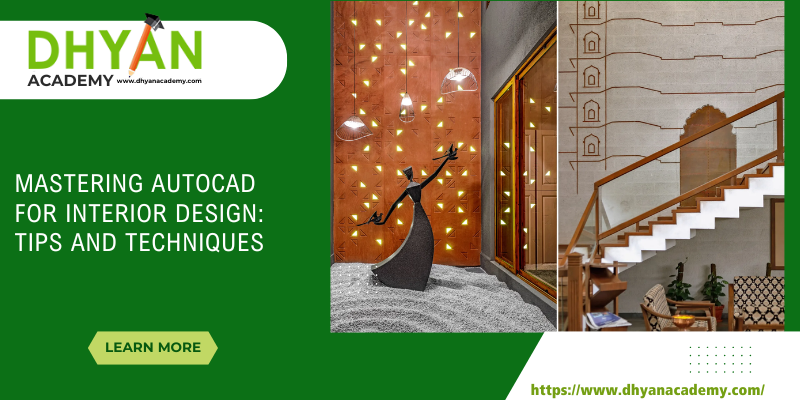
In the dynamic world of interior design, creativity meets precision. Designers today don’t just rely on sketches or mood boards they use digital tools to bring their ideas to life with accuracy and flair. Among these tools, AutoCAD stands out as a cornerstone of modern design visualization. Whether you’re a beginner or a professional, mastering AutoCAD can completely transform how you conceptualize, draft, and execute interior projects.
If you’re aspiring to become an expert designer or enhance your technical skills, enrolling in a reputed AutoCAD course in Hyderabad can be your stepping stone to success. Let’s explore how AutoCAD empowers interior designers and discover some essential tips and techniques to help you master it efficiently.
Why AutoCAD Matters in Interior Design
AutoCAD, developed by Autodesk, has revolutionized the design industry by bridging the gap between creativity and functionality. It allows interior designers to create accurate 2D drawings and detailed 3D visualizations of interior spaces. Here’s why it’s indispensable
Precision and Accuracy
AutoCAD enables designers to create floor plans, elevations, and furniture layouts with precise dimensions. This eliminates manual drafting errors and ensures that every design element fits perfectly within the available space.
Visualization and Communication
Clients often struggle to imagine how a finished space will look. AutoCAD helps designers present realistic renderings that communicate design intent clearly. These visual presentations can greatly enhance client satisfaction.
Efficiency in Revisions
Interior design projects often involve multiple changes. With AutoCAD, you can modify or update designs quickly without redrawing everything from scratch. This saves time and effort.
Professional Standard
AutoCAD is widely used in architecture and design firms globally. Proficiency in it makes you more employable and increases your credibility as a professional designer.
Getting Started with AutoCAD
If you’re new to AutoCAD, it’s essential to start with the basics. Here are a few steps to set a strong foundation:
Understand the Interface
Familiarize yourself with AutoCAD’s layout its toolbars, command line, and workspace options. Knowing where to find tools and how to access commands efficiently is crucial for productivity.
Learn the Coordinate System
AutoCAD works on an X, Y, and Z coordinate system. Learning how to use these coordinates helps you create precise layouts and 3D models with ease.
Practice with Basic Commands
Begin with simple commands like LINE, CIRCLE, RECTANGLE, and TRIM. Gradually move on to advanced ones such as OFFSET, ARRAY, and EXTEND.
Use Layers and Blocks
Organize your drawing by using layers for different elements (like walls, furniture, or lighting). Blocks allow you to reuse design components, saving time and ensuring consistency.
Start Simple Projects
Practice by designing small rooms or layouts. As your confidence grows, take on more complex designs such as full homes or commercial interiors.
Advanced Techniques for Interior Designers
Once you’ve mastered the basics, it’s time to take your AutoCAD skills to the next level. Advanced features can help you design faster and more creatively.
Creating Dynamic Blocks
Dynamic blocks are smart, customizable versions of regular blocks. For example, you can create a furniture block that changes size or orientation based on the project’s requirements. This is especially helpful for designing modular interiors.
Using External References (Xrefs)
When working on large projects, you can link multiple drawings using Xrefs. For instance, you might attach a floor plan as an Xref while working on lighting or furniture layouts. Any changes in the main drawing automatically reflect in your file, ensuring accuracy.
3D Modeling for Visualization
AutoCAD’s 3D tools allow you to build realistic interior models. By applying materials, lighting, and textures, you can create lifelike renders that give clients a virtual walkthrough of their space. 3D visualization also helps identify potential design issues before implementation.
Customizing Workspaces and Shortcuts
Every designer works differently. Customize your workspace, tool palettes, and keyboard shortcuts to match your workflow. This personalization can drastically boost your speed and comfort while working.
Integrating AutoCAD with Other Design Tools
Interior designers often use other software like 3ds Max, SketchUp, or Revit. AutoCAD’s compatibility allows seamless data exchange between programs, making it easier to render realistic scenes or integrate with architectural blueprints.
Practical Applications of AutoCAD in Interior Design
Let’s look at how AutoCAD is used in real-world interior projects:
Residential Design
From creating detailed floor plans to designing modular kitchens and wardrobes, AutoCAD helps residential designers visualize every element precisely.
Commercial Interiors
For offices, restaurants, and retail spaces, AutoCAD enables accurate space planning, lighting layouts, and furniture placement to ensure functionality and aesthetics.
Furniture Design
Custom furniture pieces can be designed with millimeter-level accuracy, ensuring perfect fit and comfort.
Lighting and Electrical Layouts
AutoCAD’s precision tools help plan electrical points and lighting fixtures for optimal illumination and safety.
Renovation Projects
Designers can overlay existing layouts with proposed changes to evaluate spatial adjustments effectively.
H2: Top Tips for Mastering AutoCAD Efficiently
Mastering AutoCAD takes practice and consistency. Follow these practical tips to become more efficient and confident in your work.
Practice Daily
Like any creative tool, the more you practice, the more proficient you become. Set aside dedicated time each day for drafting exercises.
Learn from Real Projects
Study existing interior design drawings to understand how professionals layer, dimension, and detail their work.
Use Templates
Save commonly used settings, title blocks, and layer standards as templates to streamline future projects.
Stay Updated
AutoCAD is continuously evolving. Stay updated with the latest tools, features, and plugins to remain competitive.
Join a Professional Course
Learning from industry experts accelerates your progress. A structured course not only teaches software techniques but also practical design applications.
Why Choose an AutoCAD Course in Hyderabad
Hyderabad has emerged as a growing hub for architectural and interior design education. Pursuing an AutoCAD course in Hyderabad offers several advantages:
Industry-Relevant Curriculum
Courses are designed to match current market trends and project workflows.
Expert Trainers
Learn directly from experienced designers and CAD professionals.
Hands-on Practice
Institutes provide real-world assignments and live projects for better learning.
Placement Opportunities
Many training centers partner with design firms, helping students land jobs faster.
If you’re looking to enhance your design skills and boost your career, choosing the right training institute is crucial. And that’s where Dhyan Academy stands out.
Dhyan Academy: Your Gateway to Professional Design Mastery
Dhyan Academy is one of the leading design training institutes in Hyderabad, offering comprehensive courses in AutoCAD, 3ds Max, and architectural visualization. The academy focuses on bridging the gap between theoretical learning and practical application.
Here’s why Dhyan Academy is the ideal choice for your AutoCAD course in Hyderabad:
Expert-Led Training
Learn from certified professionals with real industry experience.
Practical Learning Environment
Every session emphasizes hands-on exercises and real project simulations.
Updated Curriculum
The course includes the latest AutoCAD features and techniques aligned with global standards.
Flexible Batches
Whether you’re a student, working professional, or freelancer, Dhyan Academy offers flexible class timings.
Portfolio Development
Students graduate with a strong portfolio showcasing their technical and creative skills.
Career Support
The academy provides guidance on internships, freelancing, and placement opportunities.
By enrolling in Dhyan Academy, you’re not just learning software, you’re building a professional foundation for a successful design career.
Conclusion
Mastering AutoCAD is a transformative journey for every interior designer. It enhances creativity, boosts productivity, and opens doors to endless career opportunities. With the right training and consistent practice, you can confidently design stunning interiors that balance beauty and precision.
If you’re ready to take your skills to the next level, enrolling in an AutoCAD course in Hyderabad at Dhyan Academy is the smartest step forward. Learn from industry experts, work on real projects, and become a design professional ready to shape the spaces of tomorrow.
Dhyan Academy: Where design dreams take digital form.

